
Add Timli to Your Home Screen
Get quick access to live transit arrivals by installing Timli as a web app on your device.
1
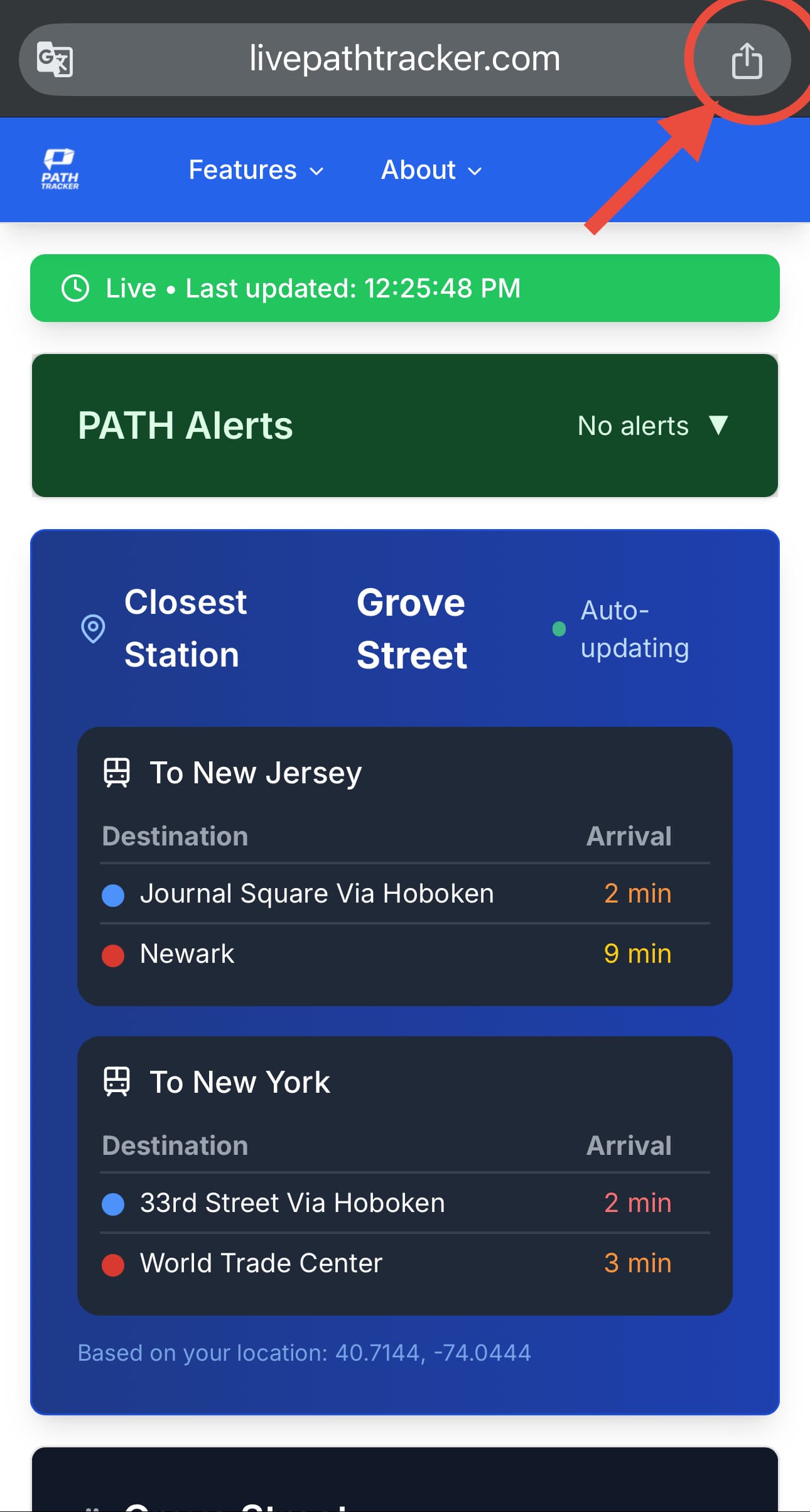
Step 1: Open the Share Menu
While viewing Timli in your browser, tap the share button at the bottom of your screen (Safari) or in the browser menu.
2
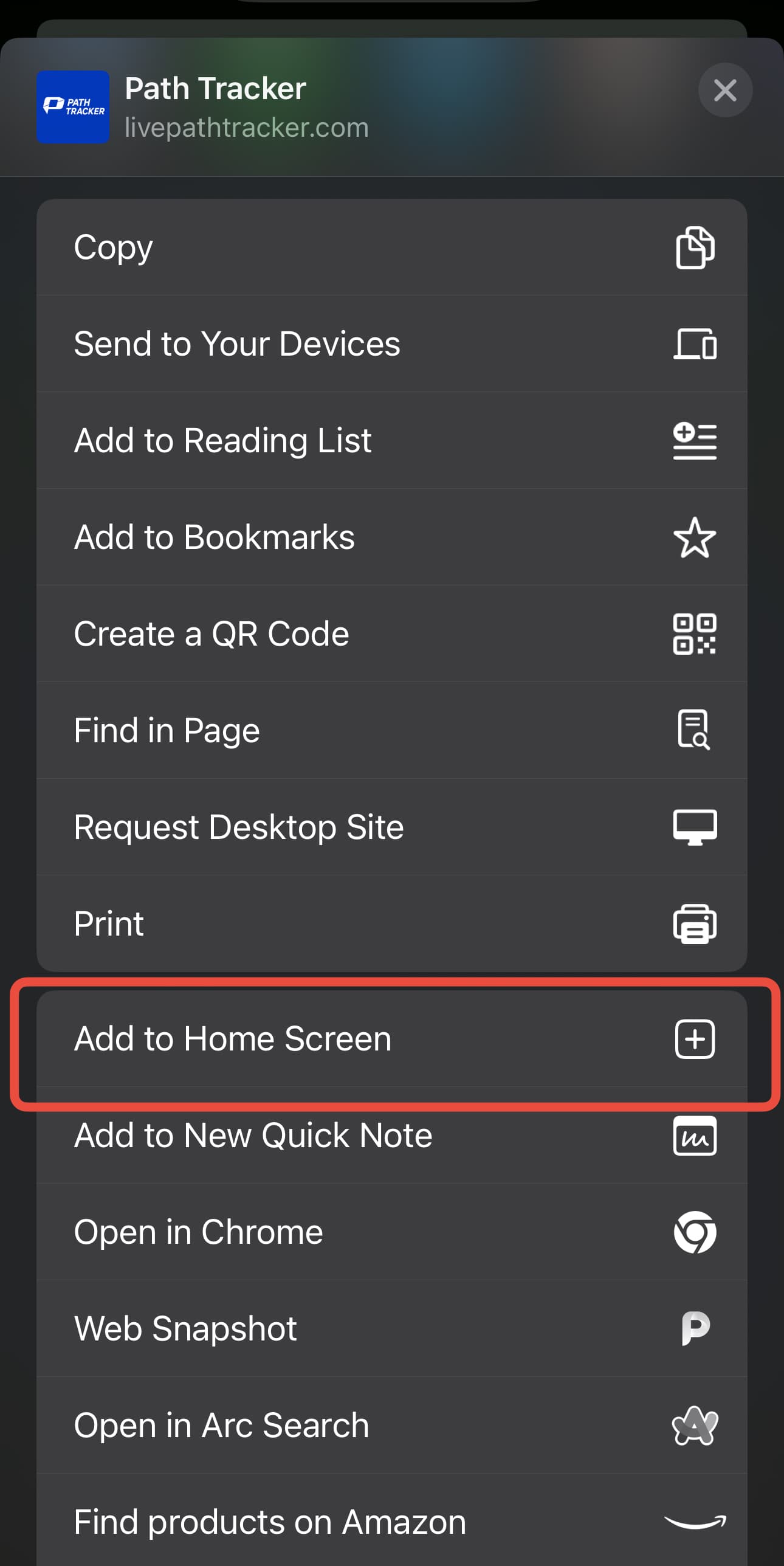
Step 2: Find 'Add to Home Screen'
Look for the "Add to Home Screen" option in the share menu. You may need to scroll down to find it.
3
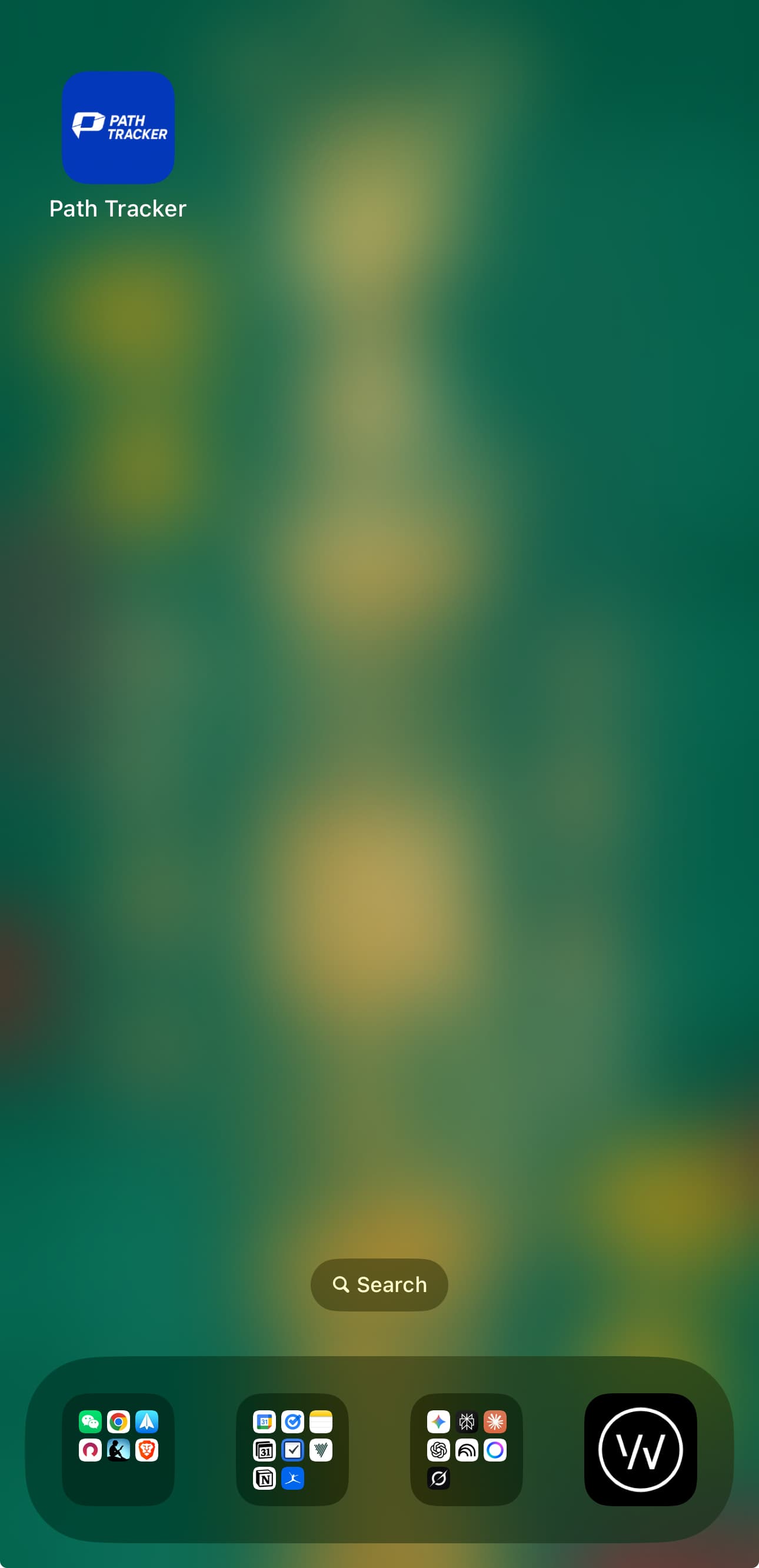
Step 3: Confirm Installation
Tap "Add to Home Screen" and then confirm by tapping "Add" in the popup dialog. The app will now appear on your home screen!
Why Add to Home Screen?
- ✓Instant access to real-time PATH arrivals
- ✓No need to remember the website URL
- ✓Faster loading and better performance
- ✓Works offline for previously viewed stations